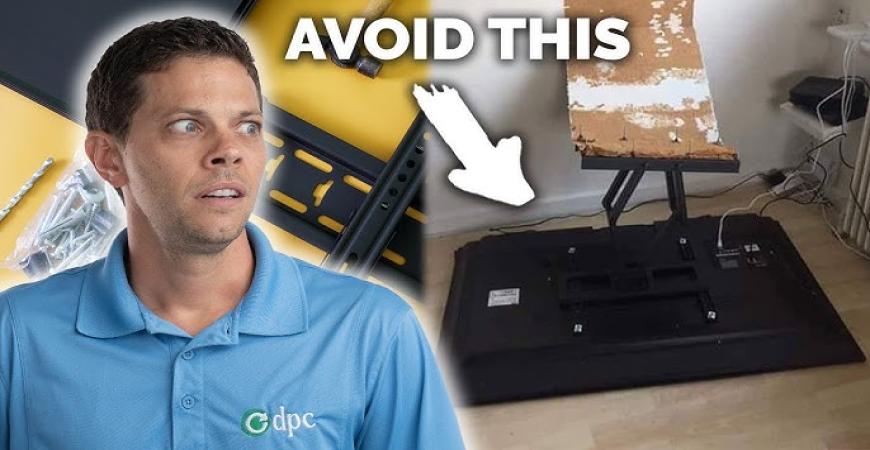
Mounting a TV on the wall gives your space a modern, clean look — but many DIY attempts go wrong because of avoidable mistakes. This guide will walk you through the most common errors UK homeowners make, how to fix or avoid them, and when it's better to call in a professional.
1. Choosing the Wrong Wall or Stud Placement
Mistake
Mounting to plasterboard or drywall without checking structural support. Many TVs are fixed poorly, relying on wall plugs alone and then pull out under weight.
Solution
-
Use a stud finder or wall scanner to locate timber studs or noggins behind the wall.
-
Mount heavy TVs to studs, not the surface.
-
On masonry (brick/block), use proper masonry anchors and drill bits.
External Reference: The UK consumer advice site Which? recommends using proper fixings and checking wall type before mounting.
👉 (For example: “Wall mounting your TV — what to watch out for” — Which?)
2. Incorrect Height and Viewing Angles
Mistake
Placing the TV too high or too low, causing neck strain or uncomfortable viewing, especially for families with children.
Solution
-
The ideal centre of the screen should be at eye level when seated (approx. 90–110 cm from floor, depending on your couch height).
-
For sofas, use wall mounts with tilt or swivel adjustment.
-
Test viewing angles before fixing permanently.
3. Ignoring Cable Management
Mistake
Leaving cables exposed or poorly routed behind the wall without proper planning, resulting in messy runs or damage during rework.
Solution
-
Plan cable paths in advance — power, HDMI, audio, etc.
-
Use cable trunking or in-wall kits for a clean finish.
-
Label every cable before finalising the run.
-
Use high-quality cables that can handle length and signal without degradation.
External Link Example: Many in-wall cable kits in the UK can be found at retailers like Currys or Screwfix (search for “in-wall TV cable kit UK”) — choose ones meeting BS 5733 for UK safety compliance.
4. Drilling Without Checking for Pipes or Electrical Wiring
Mistake
Accidentally drilling into hidden cables or water pipes behind the wall — a costly and dangerous error.
Solution
-
Use a reliable wall scanner that can detect wires, pipes, and studs.
-
Avoid cutting blindly; use small pilot holes if unsure.
-
Seek help from a qualified electrician if in doubt.
5. Not Levelling the TV Properly
Mistake
Mounting at a crooked angle — even a slight tilt ruins the aesthetic and can cause neck discomfort.
Solution
-
Use a spirit level during installation.
-
Secure mount to the wall loosely first, adjust to perfect level, then fully tighten.
-
Double-check after attaching the TV panel.
6. Overloading Poor Quality Mounts
Mistake
Using a low-quality bracket not rated for your TV’s weight (kg) or VESA pattern. The mount might sag or fail over time.
Solution
-
Always check the VESA specification (like 200×200, 400×400) on your TV manual.
-
Choose a mount rated at least 1.5× the TV’s weight.
-
Prefer steel, reinforced mounts rather than flimsy plastic ones.
7. Using the Wrong Tools or Hardware
Mistake
Using incorrect screws, wall plugs, or drill bits leads to insecure mounting.
Solution
-
Use fixings intended for your wall type (masonry, plasterboard, stud).
-
Use the correct drill bits (masonry bit for brick, wood bit for timber).
-
Always tighten carefully — over-tightening can split backs.
8. Forgetting Wall Finishing or Modifications
Mistake
Cutting or patching around mounting holes without proper finishing — leaving cracks, plaster damage, or cable holes.
Solution
-
After installation, use spot filler or plaster to tidy over holes.
-
Paint or touch up to match wall.
-
If using in-wall kits, ensure flush plates and finish with caulk/sealant.
9. Not Considering Ventilation and Heat
Mistake
Mounting directly above heat sources (radiators, fires) or using coverings that block airflow.
Solution
-
Leave clearance (often 10–15 cm) above devices to allow heat dissipation.
-
Avoid heat sources near the TV (fireplaces, heaters).
-
Use mounts with ventilation slots or open backs.
10. Failing to Pre-Test Connections
Mistake
Mounting everything and then discovering HDMI, power or digital cables don't reach or are too short.
Solution
-
Before fully securing the TV, connect all devices (cables, consoles, soundbars).
-
Test signal, audio, switching, and functions.
-
Adjust or replace cables as needed before closing installation.
✅ When to Call a Professional Handyman or Electrician
If any of the following apply, skip the guesswork and book a pro:
-
You have solid brick, concrete, or unusual walls that require specialized tools.
-
You want hidden in-wall power installation.
-
You have multiple devices (TV + soundbar + game console) and want neat, concealed wiring.
-
You want guarantees or insurance-safe installations.
👉 Book Handyman Services (TV mounting & cable work)
👉 Book Electrical Services (in-wall power & wiring)


